Color Banding in Sky Photos: Causes and Fixes
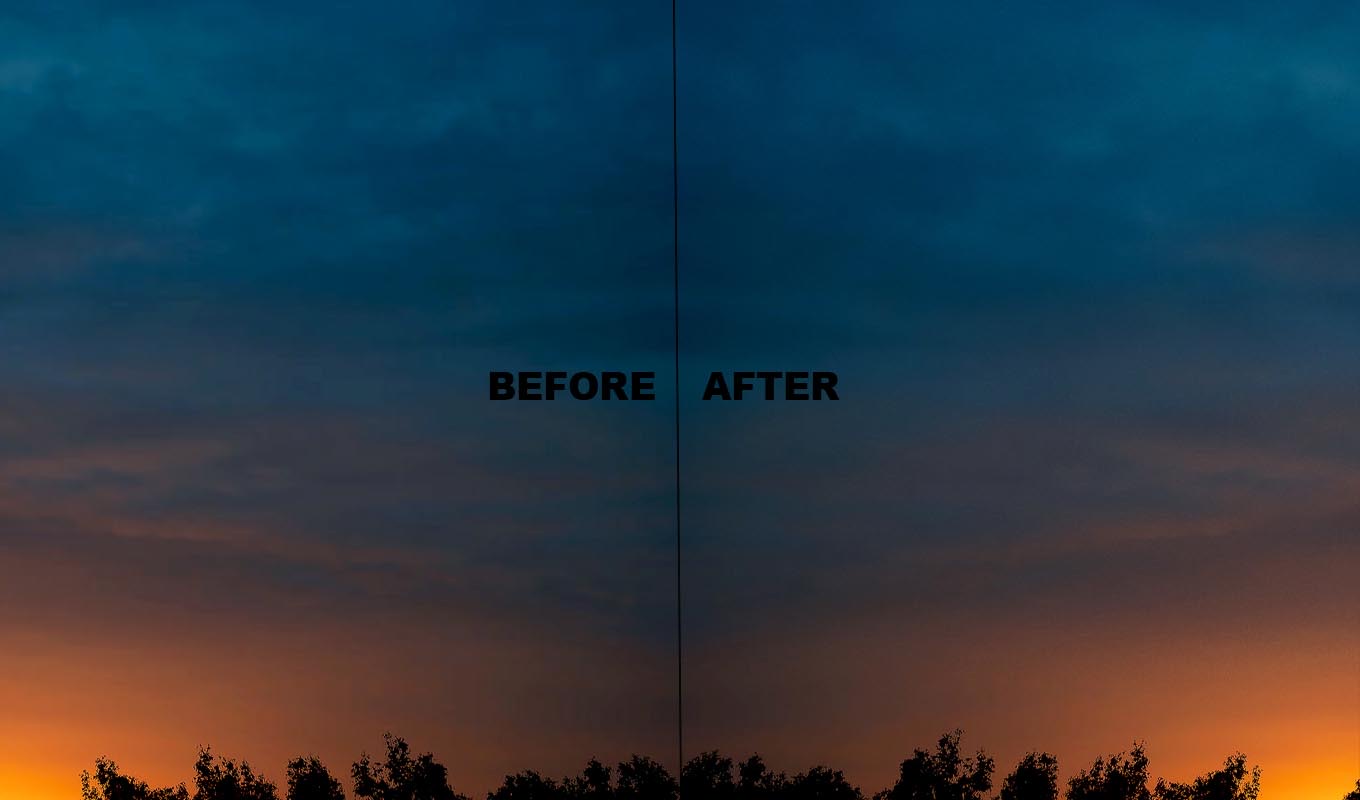
Skies are where banding shows first. A clear blue sky, a sunset, fog, the sea at dusk: all of them are large areas where the color changes very slowly. That slow change needs a lot of tones to draw smoothly. When the file does not have enough, you get stripes. Here is why it happens, whether it is normal, and what to do before and after the shot.
What Causes Color Banding
A digital image stores each color channel as steps. An 8-bit JPEG has 256 steps per channel. A sunset might go from orange to deep red across the whole frame, but only use 30 of those steps for the change. Spread 30 steps across 4000 pixels and each step becomes a visible band.
The most common causes, in the order I see them:
- Editing a JPEG hard. Pulling up saturation, contrast or Dehaze on a sky stretches the few tones further apart.
- Underexposing, then brightening. A dark sky lifted by two stops has fewer tones than one exposed right.
- Compression. Social media and messaging apps recompress the photo. They smooth away the small variation that was hiding the steps.
- Phone processing. Phone cameras apply heavy processing to skies and save JPEG or HEIC, so banding in a phone sunset is common.
Is Color Banding Normal?
In a way, yes. Some banding is part of how 8-bit images and screens work. But visible stripes are not something you have to accept in a finished photo.
Before you edit, check that the stripes are in the file and not on your screen. Many laptop and office monitors show banding on any smooth gradient. View the photo at 100% and on another display, a phone or a better monitor. If the stripes vanish there, the photo is fine and your screen is the limit.
Shoot So the Sky Does Not Band
- Shoot RAW. RAW files hold far more tones than a JPEG. This is the single biggest help.
- Expose for the sky. Do not underexpose and lift later. Use the histogram and keep the sky well exposed without clipping.
- Keep it 16-bit while editing. Open RAW files into Photoshop as 16-bit and stay there until the final export.
- Edit the sky gently. Big pushes in saturation and Dehaze are the usual trigger. Several small adjustments with masks are safer than one strong global move.
Deband Pro: fix banding in Photoshop with a brush
One click switches the photo to 16-bit and builds the fix, then you paint over the stripes. The gradient smooths out and fine grain keeps the banding from coming back when you save.
GET DEBAND PRO →“I almost gave up on one of my favourite sunset photos because of horrible banding in the sky. This saved it! I'm genuinely so happy I found this tool.”
“This tool is now something I reach for immediately. I paint over the affected areas and the difference is incredible!”
“I was THIS close to deleting an image because the sky looked terrible. I decided to give this plugin a try, and wow. It saved an image I thought was beyond fixing.”
“I shoot a lot of sunsets and skies, and banding has always been one of those annoying things that can ruin an otherwise perfect image. A few brush strokes and the gradients look smooth again.”
“I almost gave up on one of my favourite sunset photos because of horrible banding in the sky. This saved it! I'm genuinely so happy I found this tool.”
“This tool is now something I reach for immediately. I paint over the affected areas and the difference is incredible!”
“I was THIS close to deleting an image because the sky looked terrible. I decided to give this plugin a try, and wow. It saved an image I thought was beyond fixing.”
“I shoot a lot of sunsets and skies, and banding has always been one of those annoying things that can ruin an otherwise perfect image. A few brush strokes and the gradients look smooth again.”
Fixing a Banded Sky in Photoshop
If the sky already has stripes, the fix is the same every time: smooth the steps, then break them up so they do not return.
- Go to Image > Mode > 16 Bits/Channel.
- Use Select > Sky, then press Cmd/Ctrl+J to copy the sky to its own layer.
- Apply Filter > Blur > Gaussian Blur with a radius wider than one band, until the stripes melt.
- Mask the blur away from the horizon, trees and buildings so they keep a sharp edge.
- Add fine monochromatic noise on a 50% gray layer in Overlay mode, or with the Grain slider in Camera Raw Filter.
The full method with settings and export tips is in how to fix banding in Photoshop. If you work in Lightroom, see how to fix banding in Lightroom.
Clouds and Detail
The blur also softens anything inside the sky. On a clear sky that is perfect. On a sky with clouds, paint the blur only on the clear, banded parts and leave the clouds alone. Banding usually sits in the smooth areas between clouds and near the horizon of a sunset, so this is rarely a big compromise.
Where Deband Pro Fits
I make Deband Pro, so weigh that. It is a Photoshop plugin that does the steps above in one click: it switches the photo to 16-bit and builds a smoothing layer and a grain layer with a black mask. You paint white over the stripes, keep away from edges, and adjust Blur Radius, Smoothing and Grain. It is not AI and runs offline. It works on one photo at a time, and it cannot rescue a sky that is already broken into blocks by heavy compression. Start from the best version of the file you have.
Before You Post Online
Save the JPEG at high quality and leave a touch more grain than looks necessary on your screen. Instagram and messaging apps compress again, and a little grain gives the compression something to work with instead of flattening the sky back into bands.
Smooth studio backgrounds band for the same reason as skies, especially after you blur out wrinkles. More on that in removing wrinkles from a backdrop.
Deband Pro: fix banding in Photoshop with a brush
One click switches the photo to 16-bit and builds the fix, then you paint over the stripes. The gradient smooths out and fine grain keeps the banding from coming back when you save.
GET DEBAND PRO →Frequently Asked Questions
What causes color banding in the sky?
A sky changes color slowly across a large area, which needs many tones. An 8-bit JPEG has few, and strong edits, underexposure and compression spread them further apart, so the change shows as stripes.
Is color banding normal?
Some banding is part of how 8-bit images and screens work, and many monitors show banding on smooth gradients by themselves. Check the photo at 100% and on another display before you edit.
How do I avoid banding in sunset photos?
Shoot RAW, expose for the sky instead of lifting it later, edit in 16-bit and avoid big pushes in saturation and Dehaze. Add a little grain before exporting a JPEG.
How do I fix a banded sky?
In Photoshop switch to 16-bit, select the sky, apply Gaussian Blur on a masked copy until the stripes melt, keep it off the horizon and trees, and add fine monochromatic noise.