Real texture, no AI.
1 BRUSH
3 PRO TECHNIQUES
30S PER PORTRAIT
Skin retouching plugin for Photoshop.
PHOTOSHOP PLUGIN - USED BY 1000+ PHOTOGRAPHERS
WHY RETOUCHLAB INSTEAD OF THE OTHERS?
AI AUTO TOOLS
Retouch4me, PortraitPro
- ✗Retouches everywhere automatically
- ✗Plastic, unnatural skin
- ✗No control over results
- ✓Fast
MANUAL RETOUCHING
Frequency separation by hand
- ✗20–45 min per photo
- ✗Requires years of experience
- ✓Full control
- ✓Natural results
RETOUCHLAB
Brush-based plugin
- ✓You paint only where needed
- ✓Natural skin texture preserved
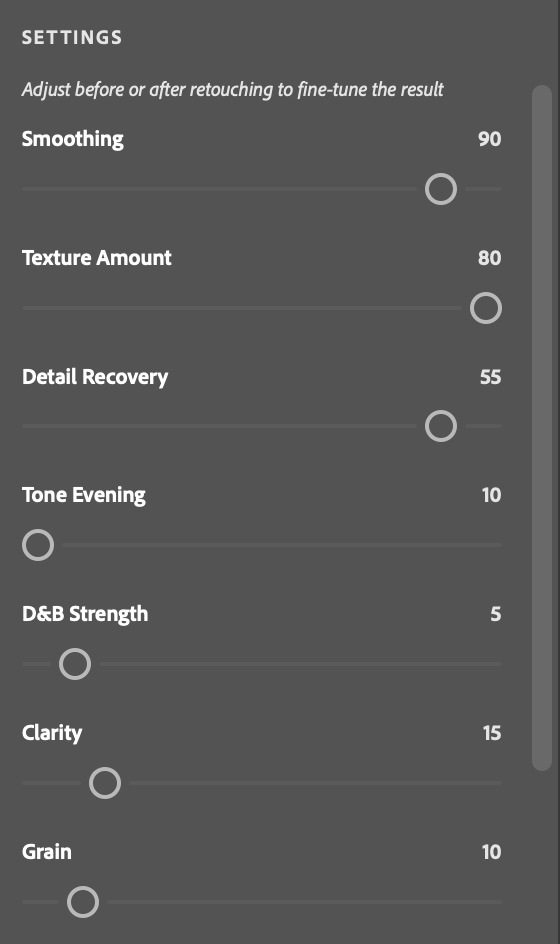
- ✓7 adjustable parameters
- ✓Works for any skill level
- ✓30 seconds per portrait
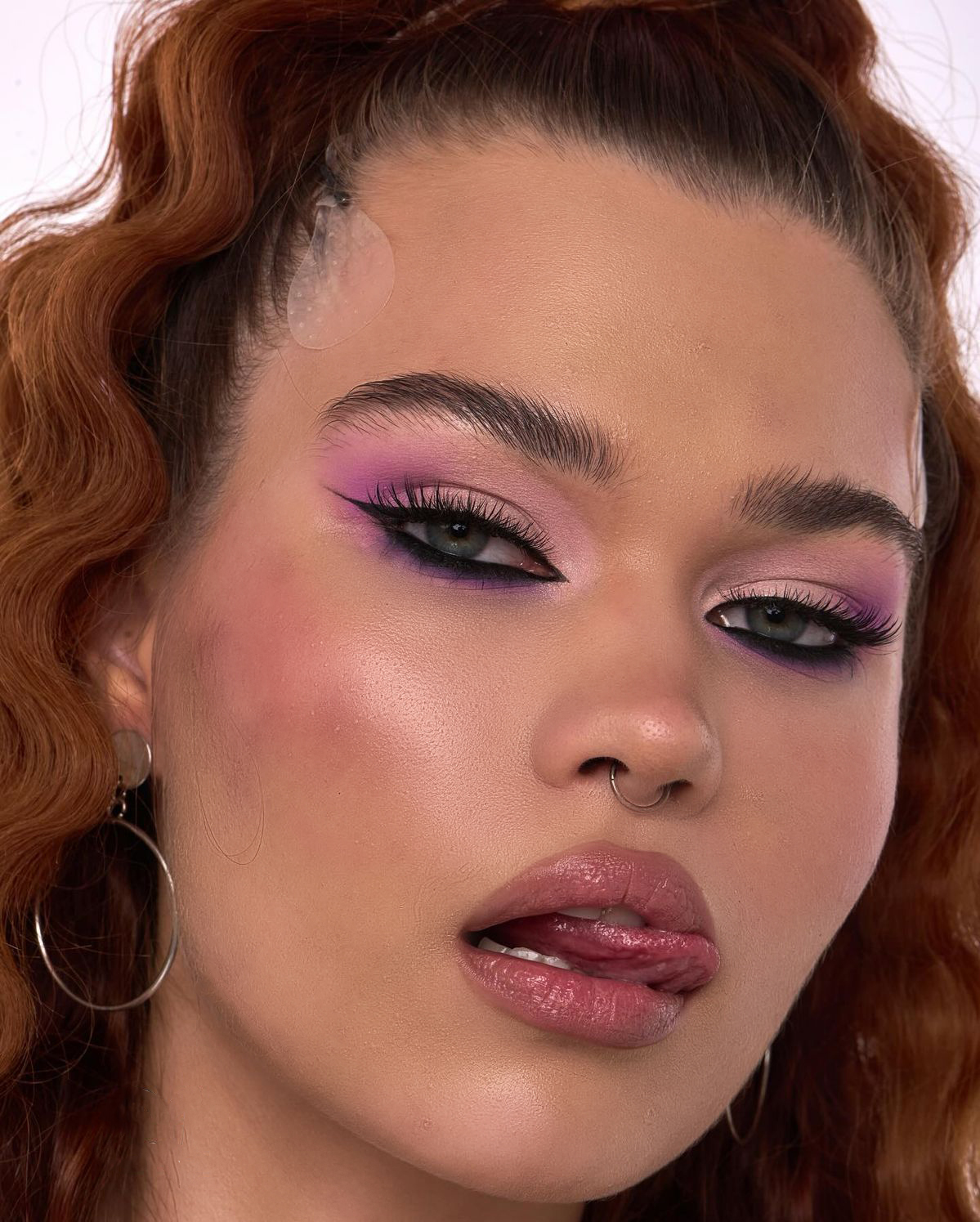
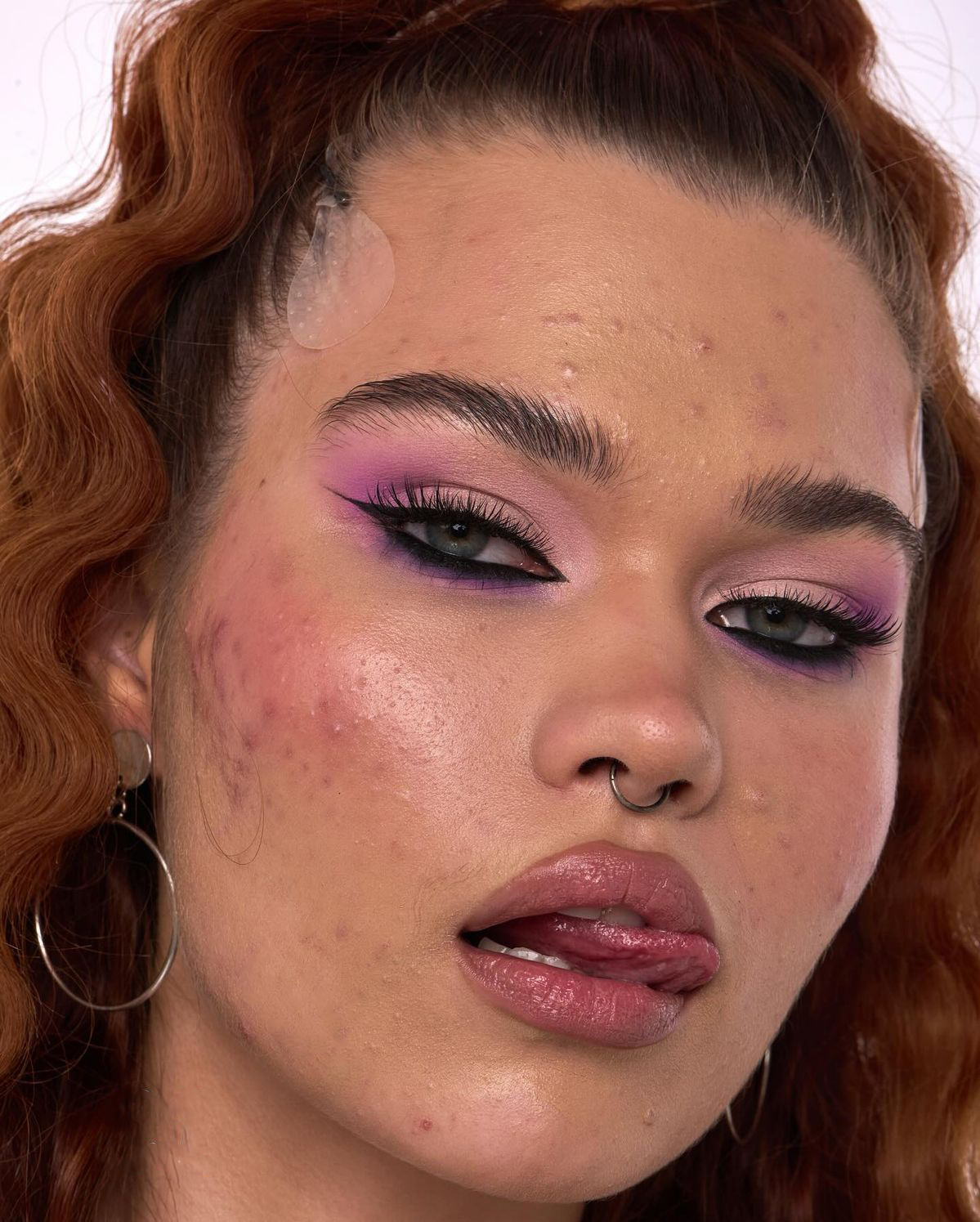
Before / After
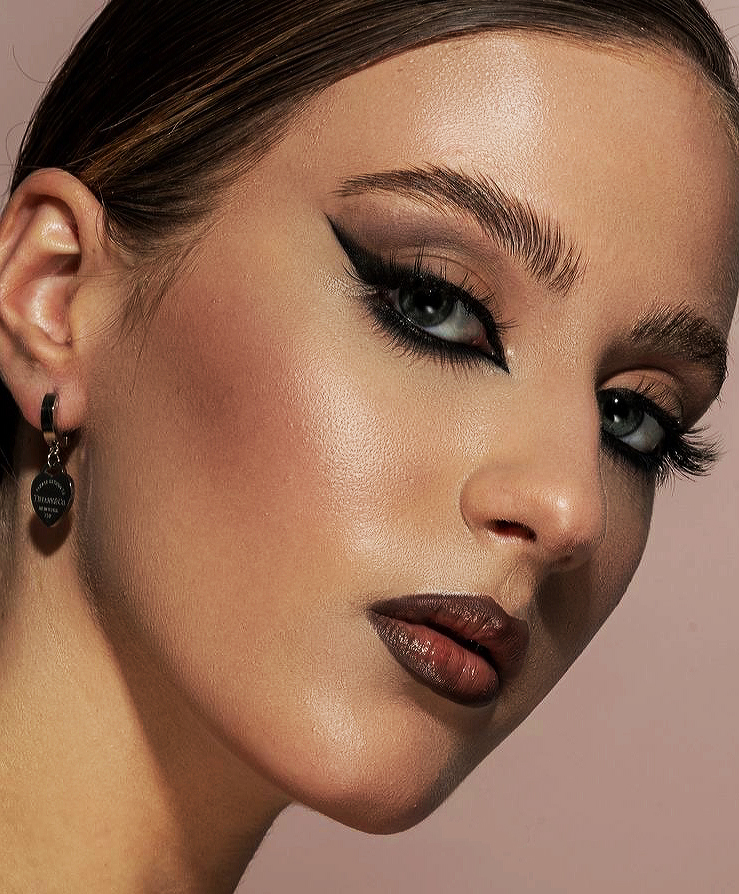
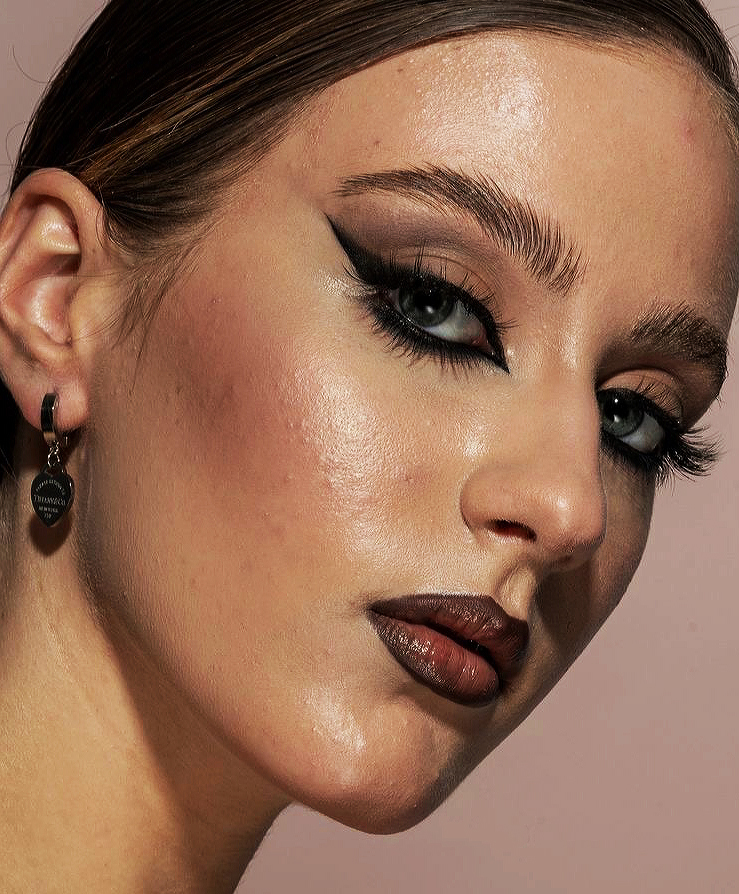
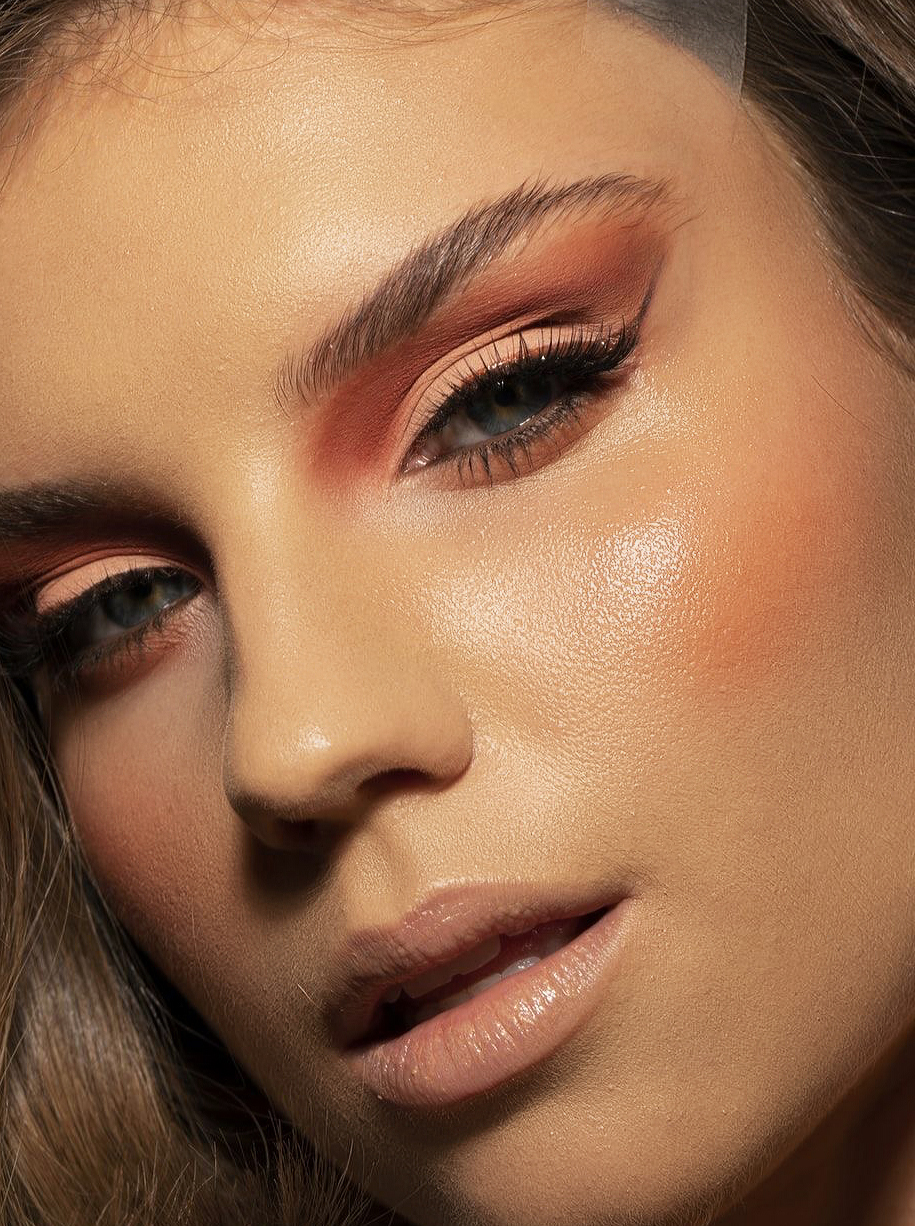
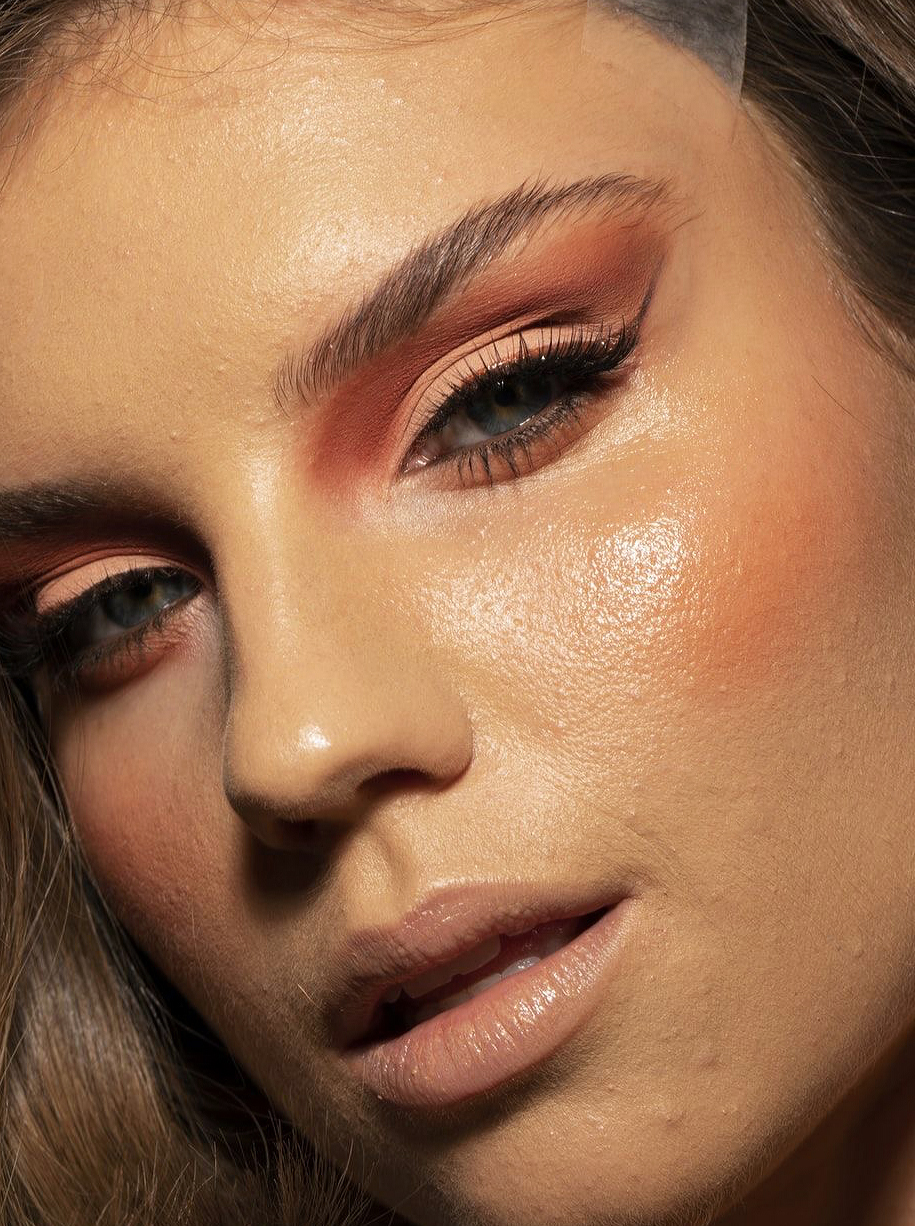
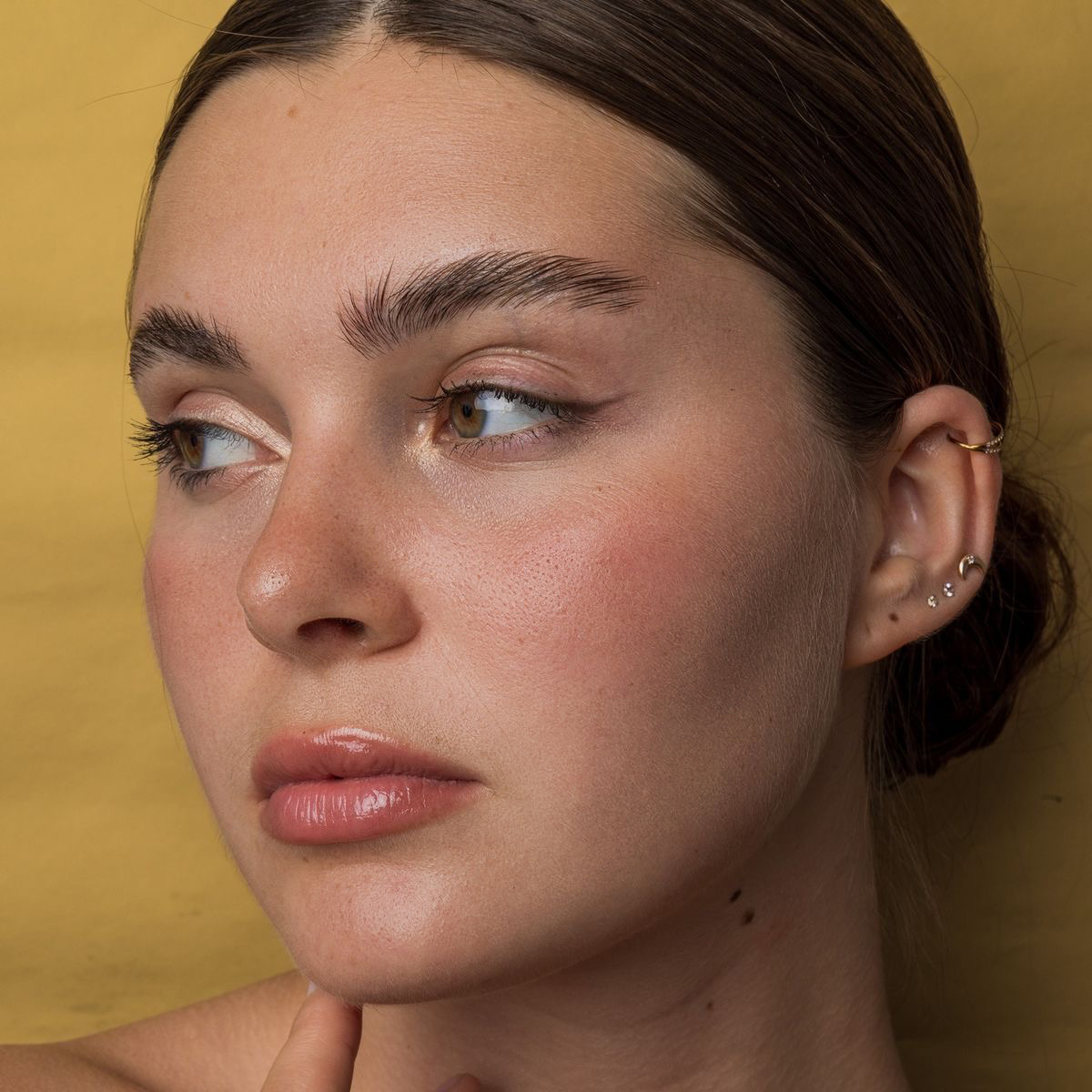
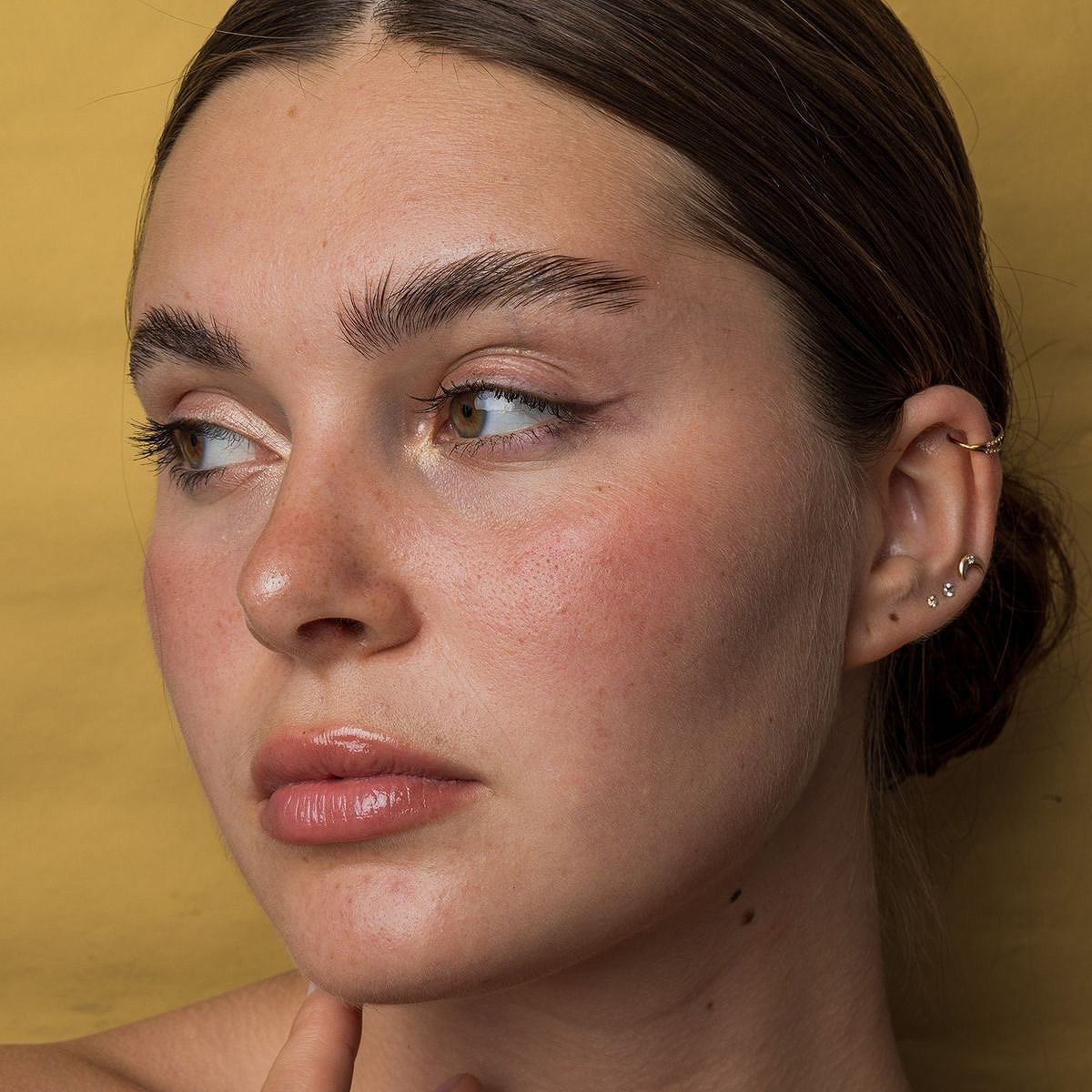
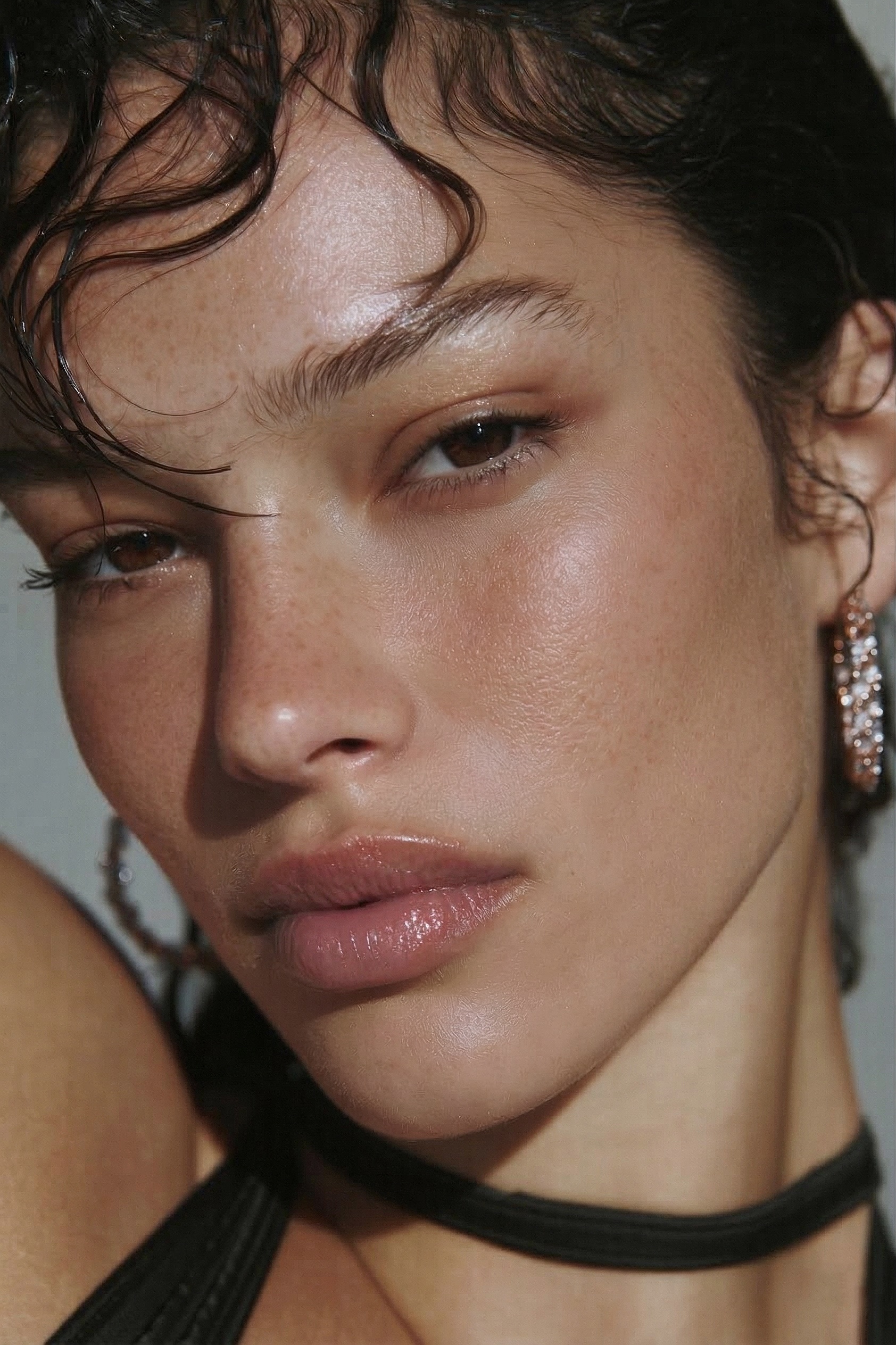
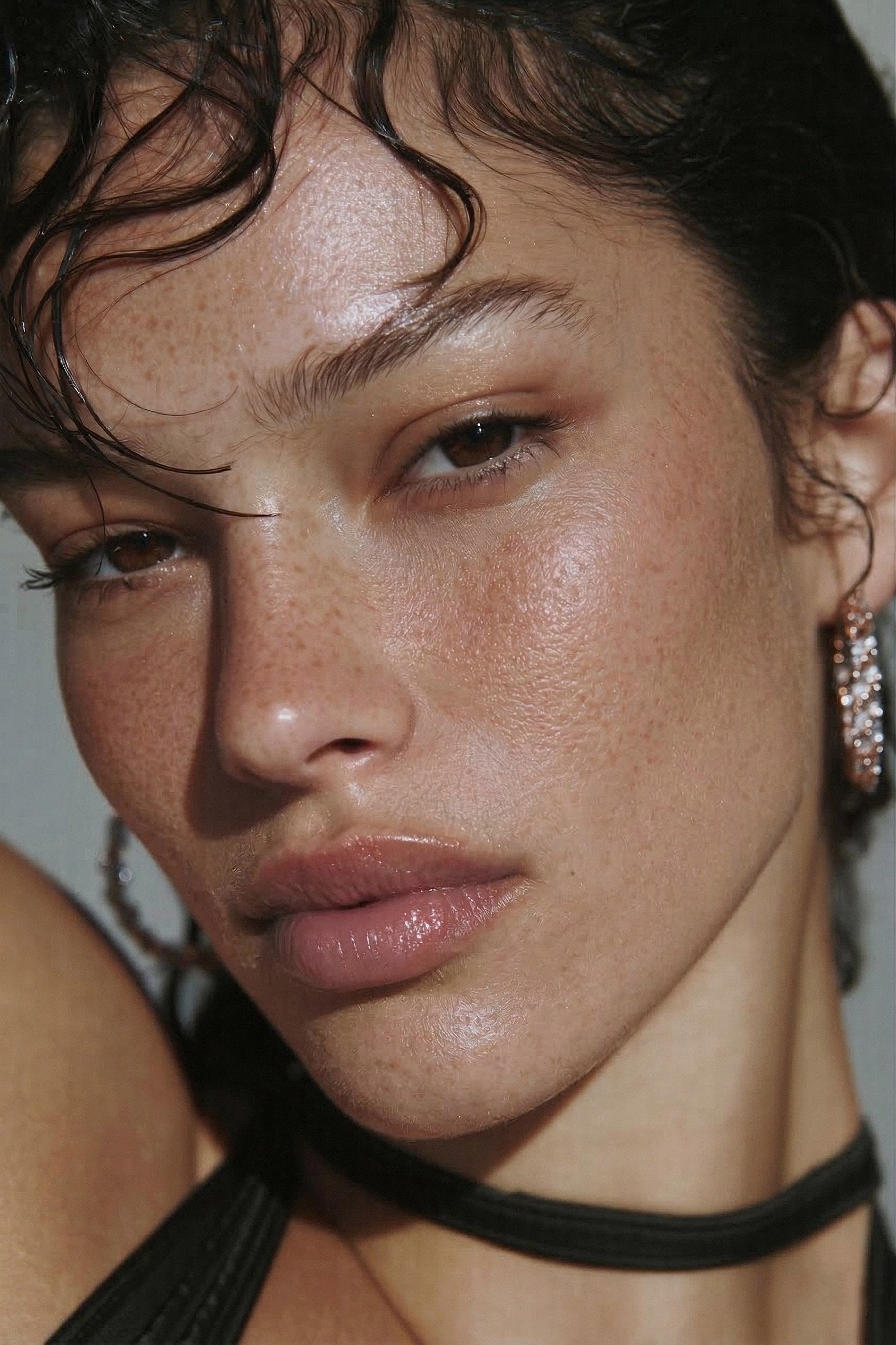
Real results from RetouchLab - just the brush, nothing else. Drag the slider to compare.
ONE BRUSH THAT DOES IT ALL.
One Brush. Three Techniques.
Frequency separation, dodge & burn, and tone evening in one stroke. No layer setup.
You Decide Where.
Paint only what needs retouching. The rest stays untouched.
Natural Skin. Not Plastic.
Real texture preserved - pores, grain, natural skin. Not the AI filter look.
7 Sliders. Real Time.
Adjust smoothing, texture, tone, and D&B before or after painting. No redo needed.
3 STEPS. 30 SECONDS.
Install in seconds. Open Photoshop. Start retouching.
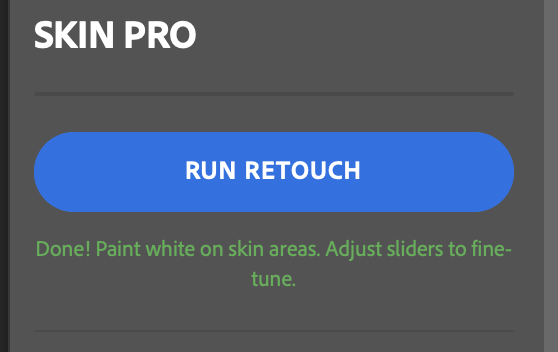
Click "Run Retouch"
Open the RetouchLab panel and click Run Retouch. Layers and brush are set up automatically.
Paint over skin
Paint over skin with the white brush. Press X to switch to black and erase anything you don't want.
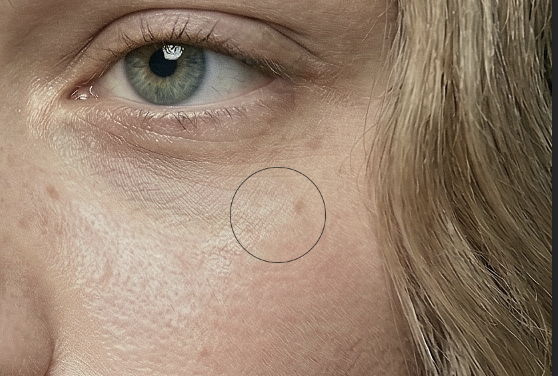
Done in 30 seconds
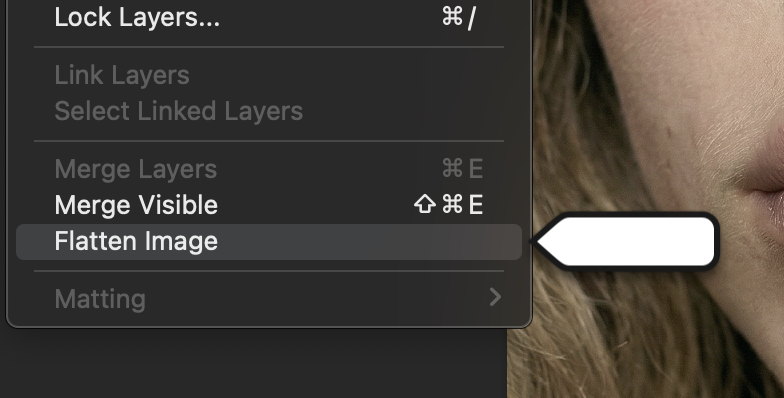
Flatten and export. Adjust sliders anytime - no need to start over.
TIPS
Brush opacity - lower for subtle effect, higher for stronger coverage.
Press X - switch to black brush to erase retouching from any area.
New Zone - different settings for face and body in the same photo.
START RETOUCHING SMARTER TODAY
INSTANT DOWNLOAD SUBSCRIBE
Secure checkout · cancel anytime
ALL FUTURE UPDATES
INSTANT DOWNLOAD ADD TO CART
Secure checkout
WHAT PHOTOGRAPHERS SAY
Great tool
Very customizable, fastens the process of editing the skin. Also, the ability to make separate zones makes it even greater. 10/10.
Incredible tool!
Incredible tool! So happy that I bought it! Skin retouching is incredibly good and now it's much easier than I had used other tools. 100% recommendations!
Obsessed with this tool
I'm obsessed with how much time this tool saves me. I genuinely enjoy the retouching process, but when you're working with a large batch of photos, it can quickly become overwhelming and repetitive. This tool makes it so much easier. Absolutely love it - highly recommend!
Great tool
A great tool that speeds up the retouching process. It's easy to control the strength of the effects, which helps maintain natural skin texture. It's convenient that after finishing work with this plugin, the mask layer remains available, allowing you to make additional adjustments if needed.
COMMON QUESTIONS
No. If you can use a brush in Photoshop, you can use RetouchLab. The plugin handles all layer setup automatically.
No. RetouchLab preserves real skin texture - pores, natural grain. It uses the same techniques professional retouchers use by hand.
Yes. All 7 sliders work in real-time even after painting. No need to redo anything - just adjust until it looks right.
Photoshop 2022 (v23.3) or later. Works with RAW (CR2, NEF, ARW), JPG, TIFF, PNG, PSD.
Both Retouch4me and PortraitPro are automatic - they decide where and how much to retouch. You get little to no control, and results often look over-processed or plastic.
RetouchLab is brush-based: you paint exactly where you want retouching. The skin stays natural because you're in control, not an algorithm. It also lives inside Photoshop - no switching apps, no exporting.
On top of that, Retouch4me sells frequency separation, dodge & burn, and skin tone as separate plugins - €500+ combined. RetouchLab does all three in one brush for €149.
Want the full breakdown? See the comparison of the best Photoshop retouching plugins for portrait photographers.
Professional retouchers don't use AI. They use three techniques manually: frequency separation (separates skin texture from colour so you can smooth tone without destroying pores), dodge & burn (lightens and darkens specific spots to even out shadows and highlights), and tone evening (removes redness and uneven colour patches). Done by hand, this takes 20–45 minutes per photo.
RetouchLab puts all three into one brush. When you paint over skin, it runs frequency separation, dodge & burn, and tone evening simultaneously - in real time. You see the result as you paint. You control exactly where it goes and how strong it is with 7 adjustable sliders.
The result looks professional because it uses the same techniques professionals use - just without the hours of manual setup. AI guesses. This doesn't guess. You decide.