How AI Skin Retouching Works in Photoshop
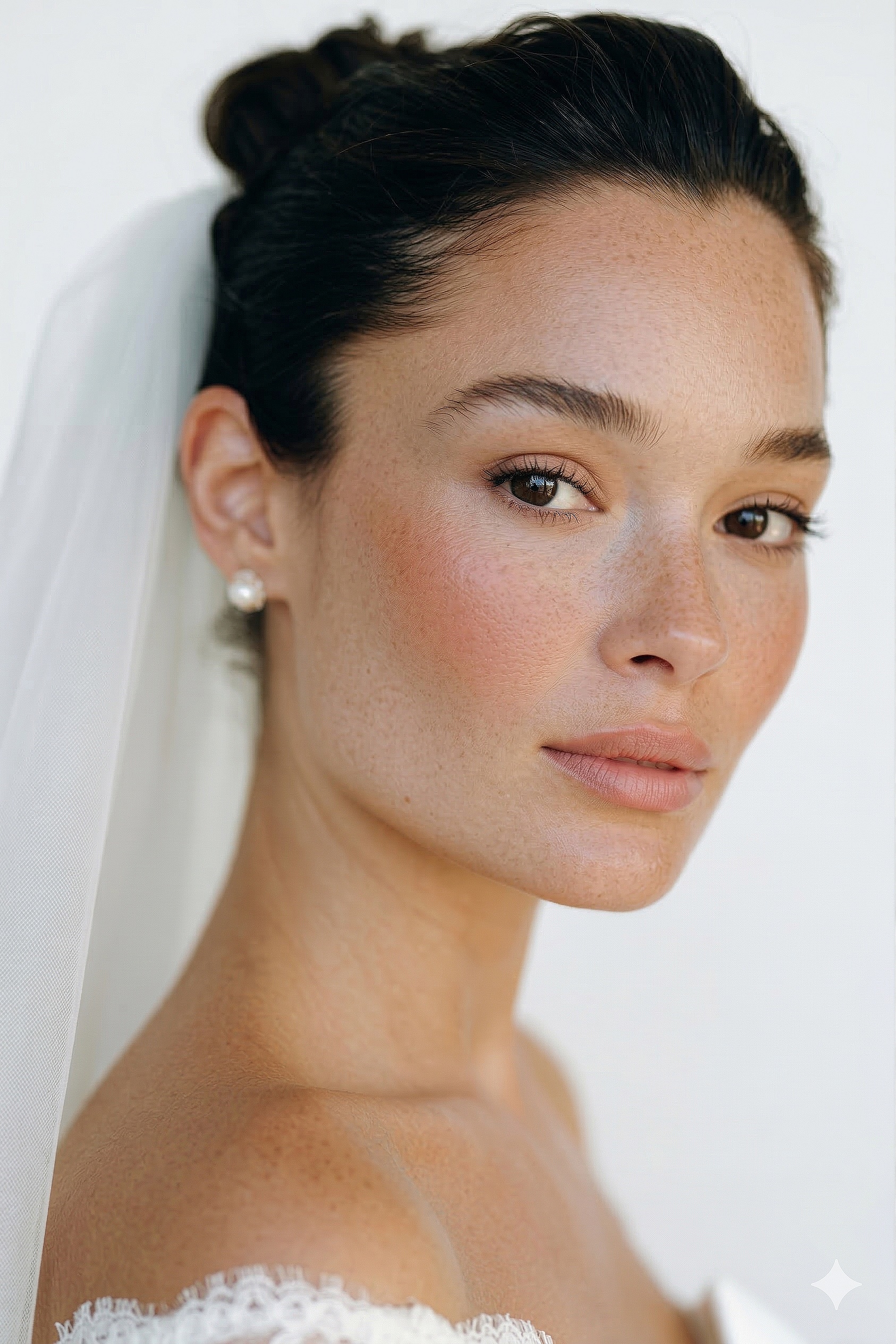 BEFORE
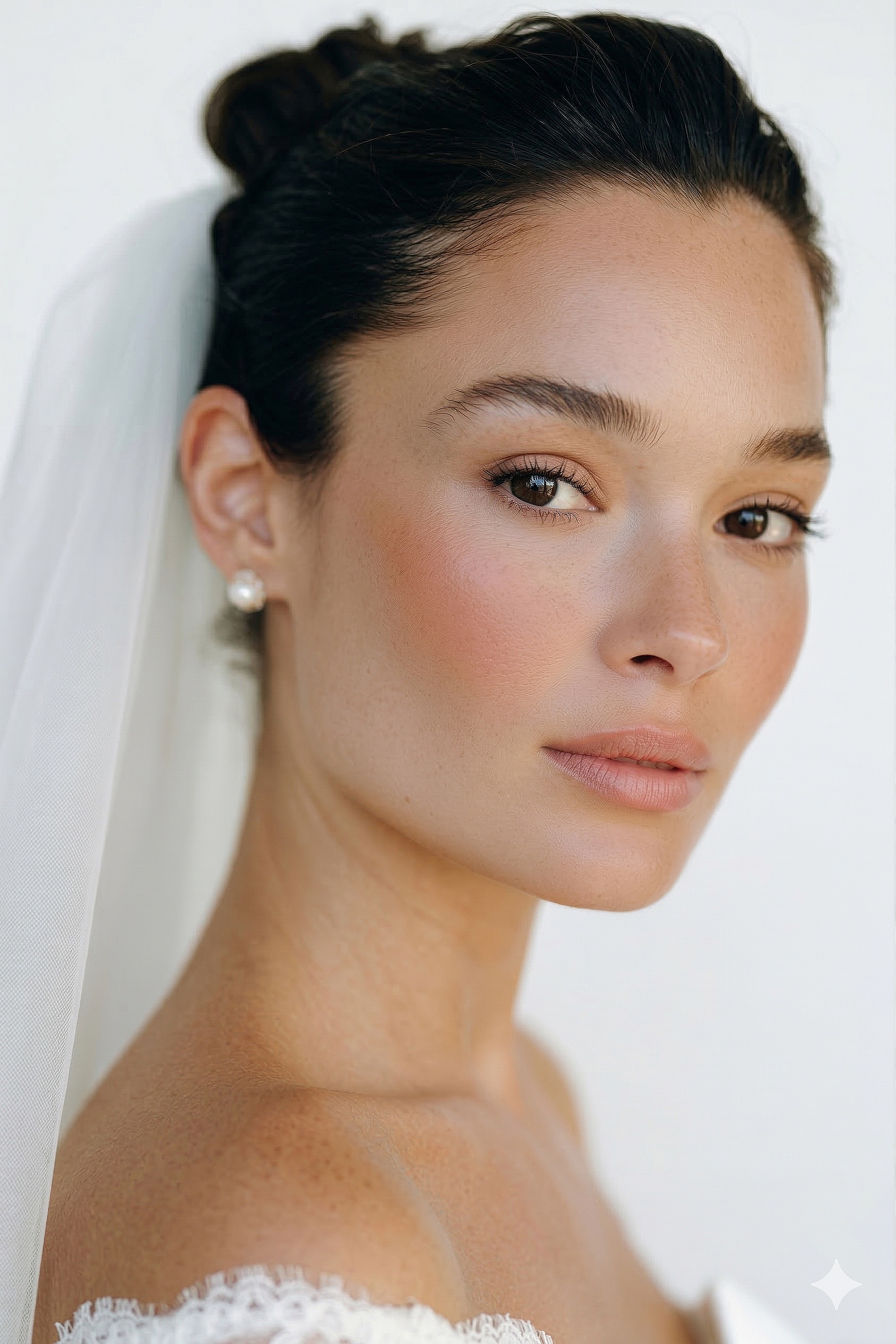 AFTER · 30s
AI skin retouching means software handles the heavy lifting — smoothing, healing, tone — instead of you doing it pixel by pixel. The catch is how much control you keep.
⚡ The "AI" that doesn't go plastic
Most one-click AI retouchers smooth everything and leave skin plastic. The hack: RetouchLab Skin Pro gives you the speed, but YOU control the brush — it evens tone and keeps real texture in ~30 seconds. Read how AI retouching works below, or skip to the tool that keeps it real.
FREE 3 DAY TRIAL →The Three Approaches
- Photoshop Neural Filters — free, built in. Smooths skin, but tends to flatten texture and gives you little control.
- Standalone AI apps (like Evoto) — powerful, but fully automatic, priced per image, and they sit outside your Photoshop workflow.
- AI-assisted plugins — the AI does the technique, you paint where it applies. Speed of AI, control of a human.
Why Fully Automatic Looks Fake
When AI decides everything, it over-smooths — pores vanish, skin turns plastic, and the result is inconsistent across different faces and lighting. Your clients notice, even if they can't name why.
The Approach That Keeps Skin Real
RetouchLab Skin Pro is AI-assisted and brush-based: it runs frequency separation, dodge & burn and tone evening in one tool, but you paint exactly where it works. Real texture stays, in about 30 seconds per photo.
Try AI-Assisted Retouching
The speed of AI with full brush control. Frequency separation, dodge & burn and tone evening in one tool — natural skin in 30 seconds.
FREE 3 DAY TRIAL →Frequently Asked Questions
Is AI skin retouching detectable?
Only when it's overdone. AI-assisted tools that preserve pores and texture look indistinguishable from careful manual work.
Does AI retouching ruin skin texture?
Fully automatic ones often do. Brush-based AI tools let you keep texture exactly where it matters.
Is there a free AI skin retouching option in Photoshop?
Photoshop Neural Filters are free with your subscription, but limited. For consistent professional results a dedicated tool is worth it.
Try AI-Assisted Retouching
The speed of AI with full brush control. Frequency separation, dodge & burn and tone evening in one tool — natural skin in 30 seconds.
FREE 3 DAY TRIAL →See it work → try the free live demo