How to Edit Event Photos Fast — 1,000+ Next-Day
I shoot events — corporate conferences, galas, brand activations, parties. If you do too, you know the brutal part: a single event is 800–1,500 frames, the client expects delivery the next morning, and every face was lit by a different mix of flash, stage light, and dim venue lighting.
For event work, the plugin you choose decides whether you make the deadline or not. So I tested every major Photoshop retouching plugin on real event galleries — ranked on the three things that decide an event job: raw speed at high volume, natural & consistent skin across messy lighting, and price-to-value.
What Event Photographers Actually Need
An event plugin has to survive a very specific kind of pressure:
- Raw speed at volume — 30 seconds per photo, not 30 minutes, across 1,000+ frames
- Natural skin across chaotic lighting — hard flash, dim ballrooms, coloured stage lights, every skin tone in the room
- Control — a keynote headshot and a crowd candid need different touches; you decide, fast
- Pays for itself — one event's saved hours should cover the cost
Most plugins fail at least one. Only RetouchLab handles all four.
The Rankings
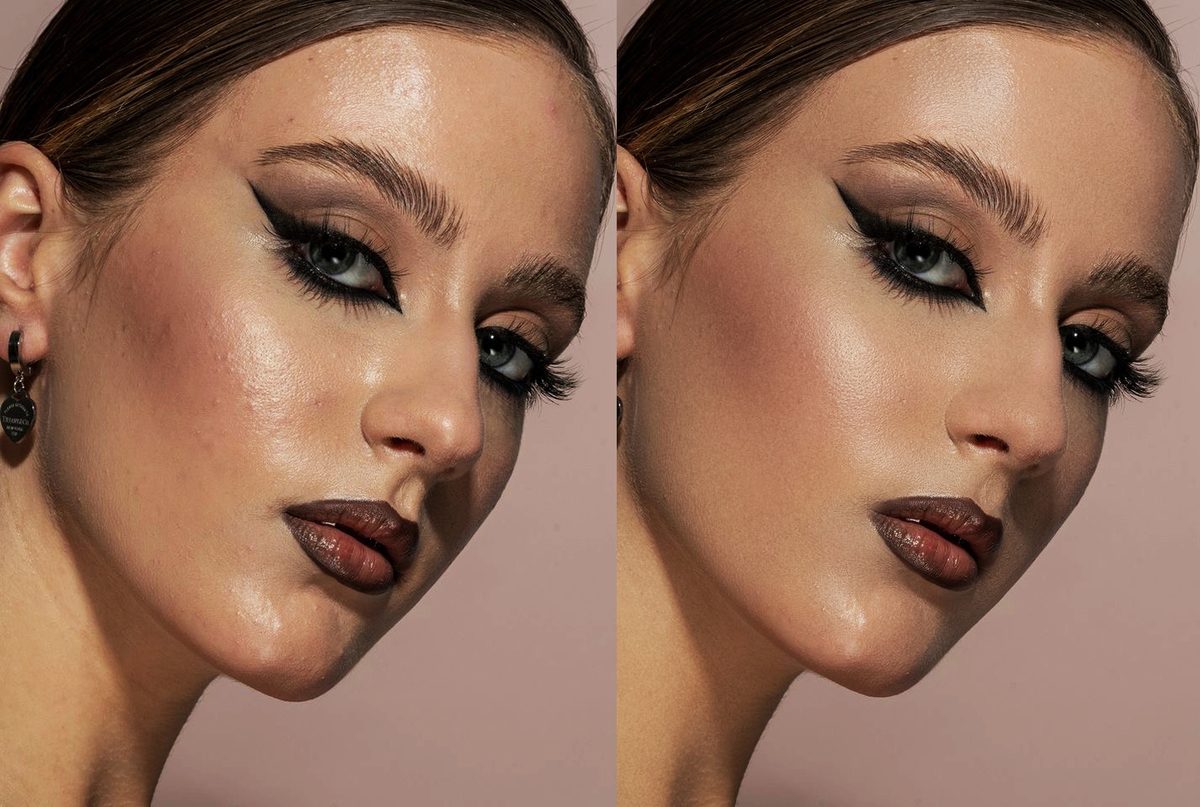
The only brush-based plugin that combines frequency separation, dodge & burn, and tone evening in one tool. You paint exactly where you want to retouch, adjust 7 parameters in real time, and a keynote portrait is finished in under a minute — then the next, and the next. Across a 1,000-photo event gallery that's the difference between hitting the next-day deadline and missing it.
Built by a working event & portrait photographer (me) after burning out on manual retouching. Skin texture stays real — pores visible, no plastic look — and stays consistent even when one frame is hard flash and the next is a dim reception.
Try RetouchLab Skin Pro
Hit next-day event deadlines. Frequency separation + dodge & burn + tone evening. 7 parameters. Brush-based control. Real-time preview. Natural skin in 30 seconds per photo.
GET SKIN PRO — €39 →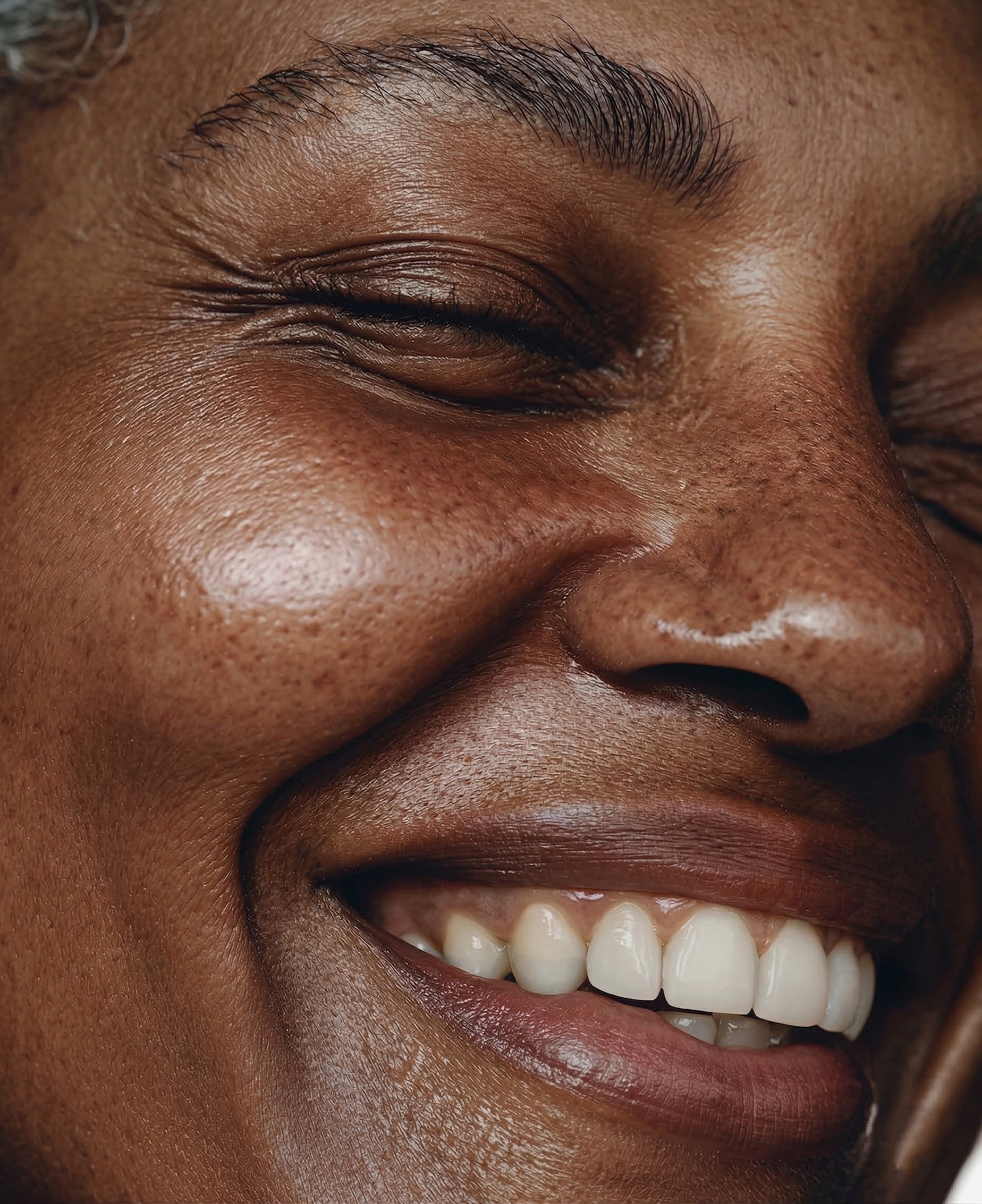 BEFORE
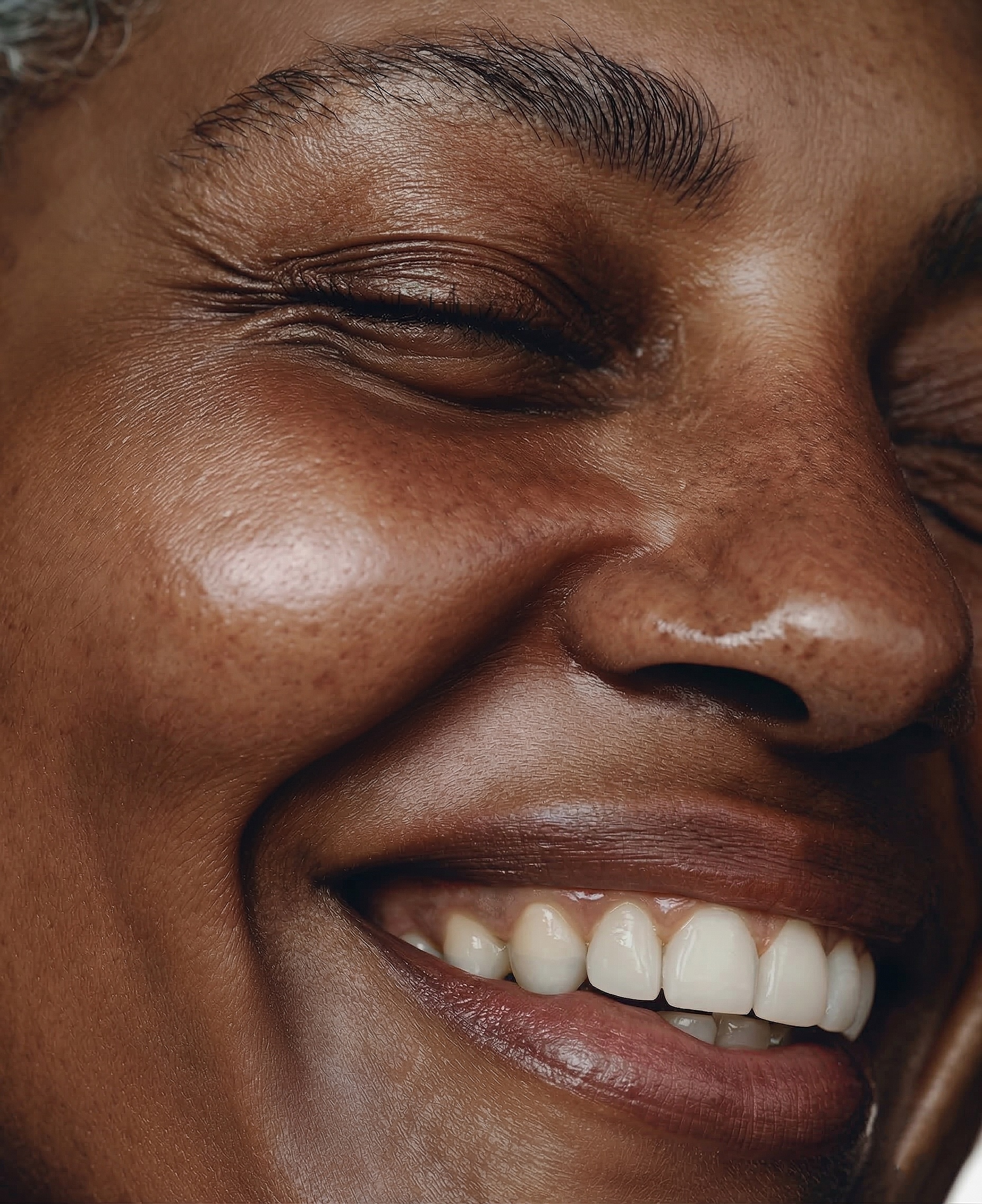 AFTER · 41 SECONDS
AI-powered automatic retouching. Genuinely fast for batch work — which sounds perfect for events — but you get zero control, a real problem when one frame is a clean keynote headshot and the next is a flash-blasted crowd shot. To match RetouchLab's workflow you buy its photo plugin bundle, which starts at $145, or subscribe from $169 a year. And consistency across mixed event lighting is hit-or-miss.
An old, established skin-smoothing plugin. Batch-friendly, which sounds ideal for a 1,000-photo event — until you zoom in on the hero shots and see the plastic look a client will spot on their LinkedIn header. Slider-based, fully automatic, no brush control. Fine for filler crowd shots, weak for the photos that matter.
Built for full face makeovers — it reshapes features and adds digital makeup. That's the opposite of what corporate and event clients want, where people need to look like themselves. Results look heavily processed, and attendees notice when their face is "different." Too heavy-handed for natural event coverage.
Standalone AI app (not a real Photoshop plugin). Per-face retouching is impressive, but you pay per image — and a 1,000+ photo event gallery makes those credits add up fast. It also sits outside your normal Photoshop workflow, which slows you down exactly when you're racing a next-day deadline.
Full photo editor with AI portrait features. More for hobbyists than working event photographers. The "Skin AI" tool smooths but loses texture, and it's built to be your whole editor rather than a fast retouching step inside a high-volume event workflow.
Free with Photoshop. Smart Portrait does light smoothing, but control is limited, it needs cloud processing, and results are inconsistent across a big gallery. Fine to try since it's free — not something to deliver a corporate client's event on.
Quick Comparison Table
The Bottom Line for Events
If you shoot events and need fast, natural, consistent skin across a huge gallery on a next-day deadline — RetouchLab Skin Pro is the only sensible choice in 2026.
It's the only plugin that gives you brush-based control + professional techniques (frequency separation, dodge & burn, tone evening) at a price that pays for itself in one event.
Everything else either costs more over time (Retouch4me from $145, or $169 a year, vs €79 once), gives you no control when the lighting changes frame to frame (PortraitPro, Portraiture), or destroys the natural skin texture clients expect.
What Event Photographers Say
Frequently Asked Questions
Can I retouch a 1,000+ photo event quickly?
Yes — that's exactly what it's built for. Around 30 seconds per photo means you can retouch the selects from a huge event in a single evening and hit next-day delivery. You paint the mask, adjust, move on.
Does it keep skin consistent across messy event lighting?
Yes. Because you control where and how much you retouch, you keep results consistent across hard flash, dim venues, and coloured stage light — instead of letting an AI guess differently on every frame.
Will the skin look natural, not plastic?
Yes. RetouchLab preserves real skin texture — pores stay visible, no over-smoothed plastic look. That's what corporate and event clients expect when their people need to look like themselves.
Does it work in Photoshop on Mac and Windows?
Yes. Works in Photoshop 24+ on both Mac and Windows. It installs as a panel inside Photoshop and is non-destructive — it works on layers above your original, so your files are always safe.
Can I try it before buying?
Yes. There's no subscription — just two one-time options: €39 for 6 months or €79 lifetime.
Hit Every Event Deadline
Retouch a huge event gallery in an evening. Frequency separation. Dodge & burn. Tone evening. Brush control. Real-time preview. Natural skin in 30 seconds per photo. Built by a working event photographer for working event photographers.
GET SKIN PRO — €39 →Compare head-to-head: RetouchLab vs Retouch4me · vs PortraitPro · vs Evoto
Also read: Best Plugins for Wedding Photographers · Best skin retouch plugins for Photoshop