Lightroom vs Photoshop for Skin Retouching
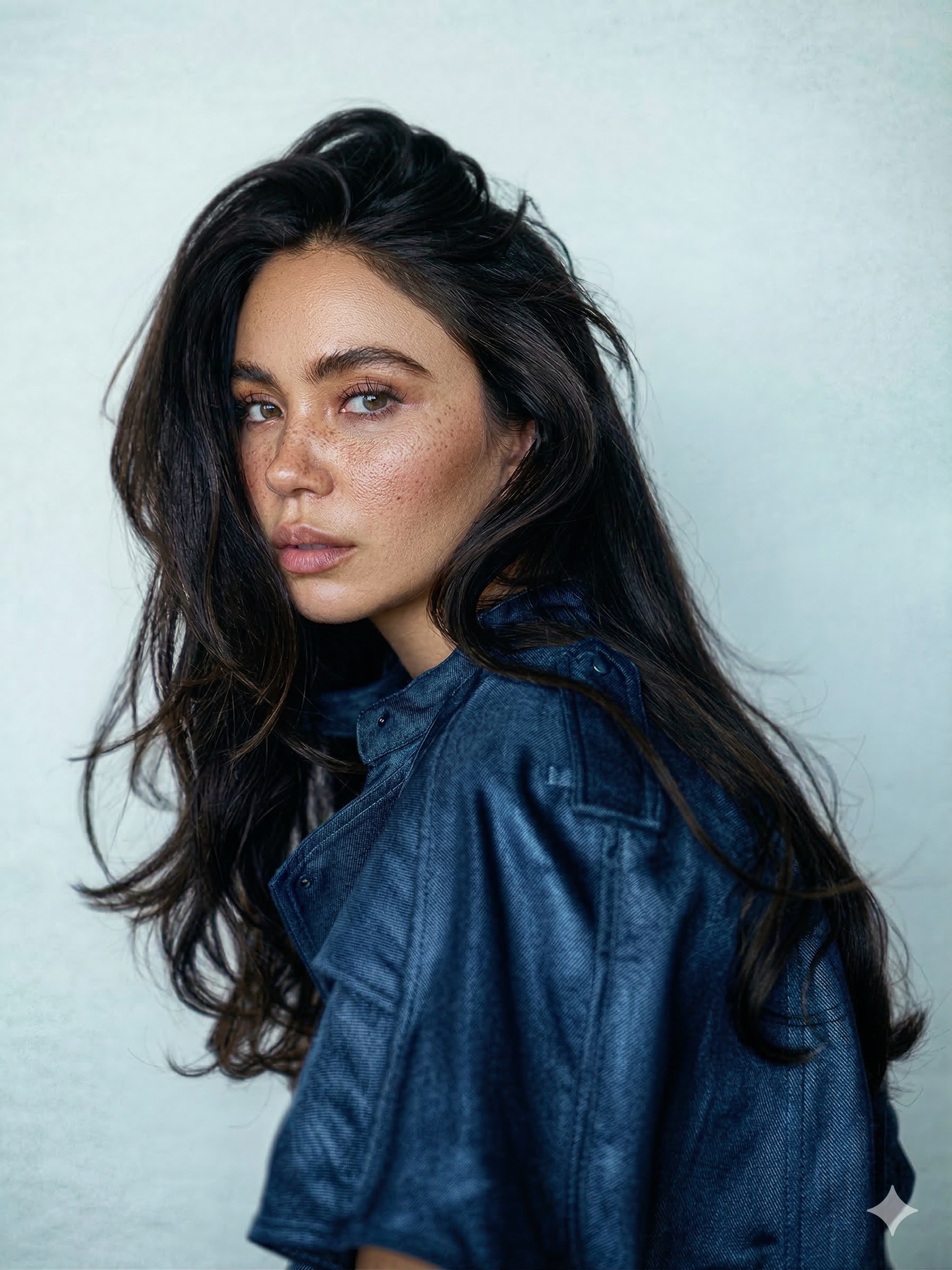 BEFORE
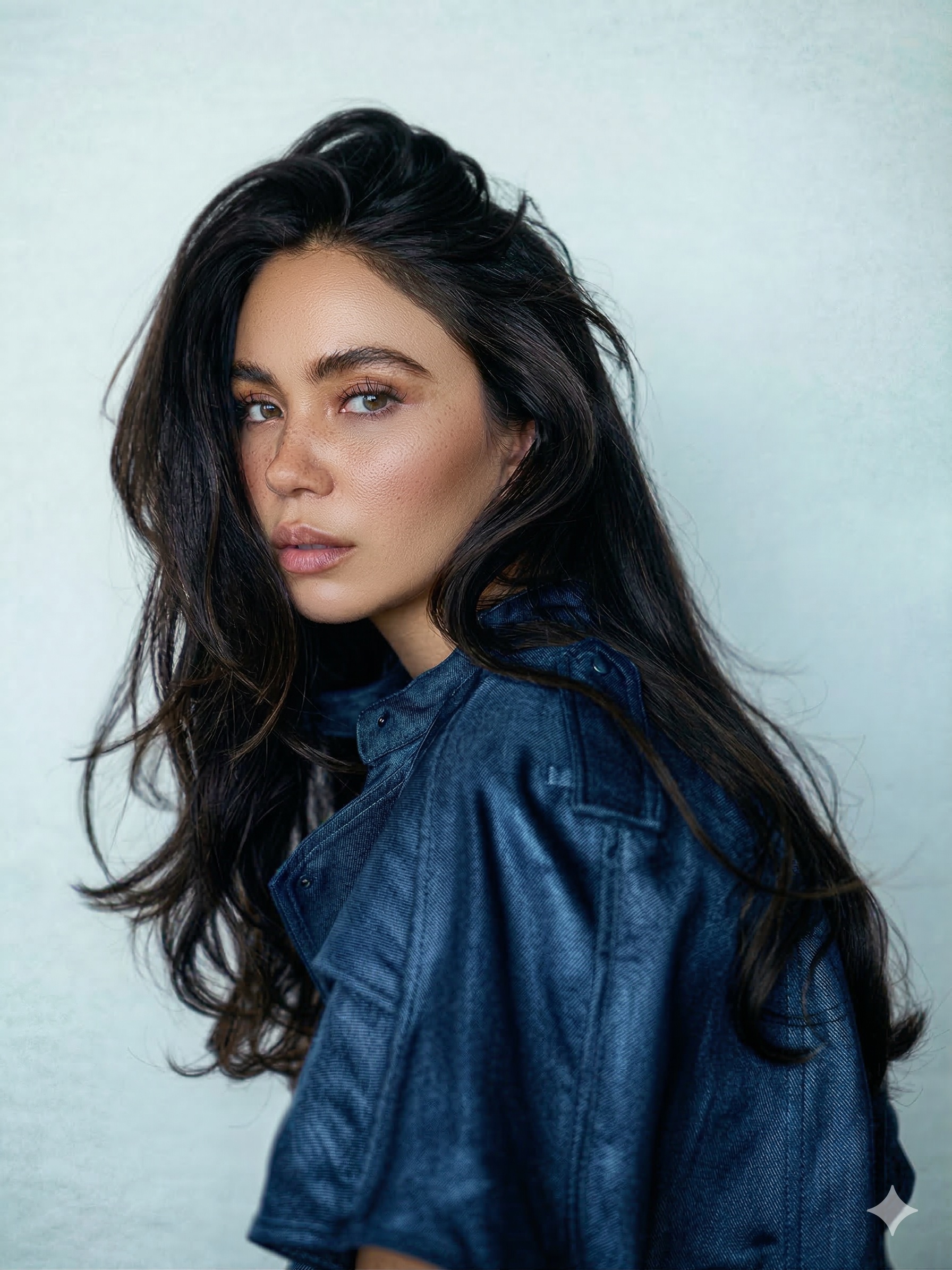 AFTER · 30s
This is the most common question new portrait photographers ask, and the honest answer is that it is not a versus at all - the two programs do different jobs. The confusion comes from the fact that both CAN touch skin. The difference is how far each one can go.
What Lightroom Does Brilliantly
- Global edits: exposure, white balance, contrast, colour grading - across a whole shoot in minutes.
- Batch consistency: sync one look to 500 photos. Photoshop simply cannot compete here.
- Light skin smoothing: the Texture slider at around -20 to -40, masked to skin with the AI people masks, softens skin fast. Full walkthrough: how to smooth skin in Lightroom.
- Isolated blemishes: the Healing tool removes a spot or two per photo without leaving Lightroom.
Where Lightroom Hits the Wall
Lightroom has no layers - and professional skin retouching is built on layers. That single architectural fact is the whole answer:
- No frequency separation. You cannot separate texture from tone, so every smoothing move trades away real pores. That is why over-slid Texture looks plastic - the slider has no way to protect detail while it works. (What frequency separation is: the full guide.)
- No real dodge & burn. Lightroom brushes work in broad strokes; pixel-level light shaping - under-eyes, blotchy highlights - needs Photoshop.
- Healing at scale breaks down. A face with 30 blemishes will fight you; the catalog slows and the results smudge.
Side by Side: Skin Work Only
| SKIN TASK | LIGHTROOM | PHOTOSHOP |
|---|---|---|
| Batch colour + exposure | Excellent - built for it | Slow, one photo at a time |
| Light smoothing | Good (Texture -20..-40 + mask) | Good |
| A few blemishes | Fine (Healing tool) | Better (layer-based healing) |
| Tone evening with pores kept | Not possible (no layers) | Yes - frequency separation |
| Dodge & burn (under-eyes, light) | Too broad | Yes - pixel-level |
| Heavy blemish work (30+) | Smudges, slows down | Yes |
| Speed with a plugin | - | ~30s per face (brush-based) |
The Workflow Pros Actually Use
- Lightroom first: cull, colour, exposure, batch sync the whole gallery.
- Round-trip the faces: Ctrl/Cmd+E sends a photo to Photoshop, edits come straight back into the catalog.
- Skin work in Photoshop: frequency separation + dodge & burn by hand (15-45 min per portrait), or a brush-based plugin that runs the same techniques in about 30 seconds.
That last step is exactly why I built RetouchLab Skin Pro as a Photoshop plugin, not a Lightroom one - the skin techniques that look natural physically require Photoshop layers. One brush runs frequency separation, dodge & burn and tone evening, and the file drops back into your Lightroom catalog.
⚡ The Photoshop half, in 30 seconds
Keep your Lightroom workflow. When a face needs real retouching, round-trip to Photoshop and let one brush do the frequency separation, dodge & burn and tone evening - about 30 seconds per photo, real texture kept.
FREE 3 DAY TRIAL →Quick Decision Table
- Whole-gallery colour and exposure - Lightroom
- One or two blemishes - Lightroom Healing tool
- Light, subtle smoothing on a few frames - Lightroom Texture slider
- Natural skin that still has pores - Photoshop (frequency separation)
- Under-eye shadows, blotchy light - Photoshop (dodge & burn)
- Hero shots a client will print - Photoshop, always
New to retouching in general? Start with the beginner guide to skin retouching.
"I’m obsessed with how much time this tool saves me… with a large batch of photos it can get overwhelming - this makes it so much easier. Absolutely love it."
Miglė Aleksiūnaitė · Adobe Exchange review
Frequently Asked Questions
Is Lightroom or Photoshop better for skin retouching?
Photoshop, clearly - it has layers, so it supports frequency separation and dodge & burn, which keep texture real. Lightroom is better for global edits and light smoothing across a batch.
Can Lightroom replace Photoshop for portraits?
For colour, exposure and light cleanup, yes. For real skin retouching, no - Lightroom has no layers, so texture-safe retouching is not possible. Most pros use both.
Do I need both Lightroom and Photoshop?
If you shoot portraits professionally, the Adobe Photography Plan includes both, and the Lightroom-to-Photoshop round-trip (Cmd/Ctrl+E) is designed exactly for this split.
Are Lightroom and Photoshop in the same subscription?
Yes - the Adobe Photography Plan includes both. So the choice is not about buying one program; it is about using each for the job it is built for.
Is Lightroom enough for portrait photographers?
For colour, exposure and gallery consistency, yes. For skin work on the frames clients print, most professionals round-trip to Photoshop - it is the half of the toolkit built for retouching.
See it work → try the free live demo